AudioMoth Resources
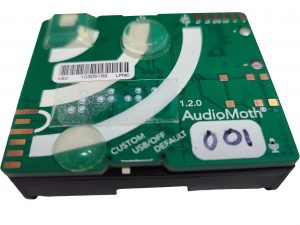 The AudioMoth is a powerful, low-cost sound recorder created by Open Acoustic Devices and used in research and education. During the 2023 and 2024 eclipses, Eclipse Soundscapes participants used AudioMoths to capture how wildlife responded when the moon blocked the Sun and day seemed to turn to night. This page brings together everything you need to understand your device, use it on your own, and share it with others.
Learn the basics about your AudioMoth and how it works.
- Switch Modes: Custom | USB/Off | Default
- ➤ Not recording in USB/Off
- ➤ Use Default to start recording
- MicroSD card required (not included if you purchase separately)
- GPS not automatic – latitude/longitude must be recorded separately
- Clock reset – if you remove batteries, you’ll need to reset the clock
- Developed by: Open Acoustic Devices. Click here to visit the Open Acoustic Device Website.
📘 Review the ES AudioMoth Information Guide for step-by-step instructions with pictures and tactile directions.
Your AudioMoth isn’t just for eclipses! Keep exploring the sounds of your environment.
- Record bird calls, bat activity, insect choruses, or night soundscapes.
- AudioMoth Analysis Software Roundup:
A guide to free, paid, and community-developed tools to analyze your recordings. - Open Acoustic Devices Website:
Find guidance on custom settings, helpful tips, and join an active user forum.
If you’re done recording, donate your AudioMoth to support one of the following:
DarkSky Missouri
 Supporting K–12 classrooms and monitoring migrating birds and bats. DarkSky Missouri provides teachers with hands-on tools for exploring sound in nature, integrating AudioMoths into science, art, and music lessons. Previous donations are already being used to inspire students and strengthen local conservation efforts.
📬 Mail: DarkSky Missouri, c/o Don Ficken, 13024 Barrett Crossing CT, St. Louis, MO 63122
📧 Contact: dficken@darkskymissouri.org
“Being provided with an AudioMoth would allow our students to better understand the nature around them…” – Erin Nichols, Library Media Specialist
Indiana Audubon’s Echoes of the Night Sky project

Your donated AudioMoth will help monitor nocturnal bird migration across Indiana. Indiana Audubon also uses recording devices to study secretive marsh birds such as the King Rail and Black Rail as part of a statewide conservation program. Devices may be deployed by volunteers or placed at key sites to strengthen long-term monitoring efforts.
📧 Contact: wyoerger@indianaaudubon.org
Library of Things
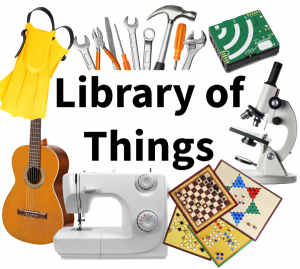 Many libraries now host a “Library of Things,” where people can borrow tools, tech, and recorders. Donating your AudioMoth could help your community discover the world through sound, making it possible for new learners and curious neighbors to explore local wildlife.
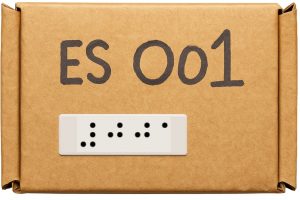
Every AudioMoth has a unique 16-character alphanumeric code as its serial number. When the device records, that serial number is automatically written into the files stored on its MicroSD card.
For Eclipse Soundscapes, the team created a shorter ES ID number, a simple three-digit code, and printed it large print and braille on each device and its box. The ES ID made it much easier for participants to share their device information with the team, while still allowing the computer to link each ES ID back to the correct serial number.
Why ES IDs Were Needed
 When volunteers mailed back their MicroSD cards, the ES team could read the serial number directly from the audio files.
- Volunteers also entered their location data online. Instead of typing the long serial number, they used their short ES ID number.
- Behind the scenes, the ES team kept a spreadsheet linking each ES ID to its matching serial number.
- This allowed the computer to connect the mailed audio files with the correct location information, without extra steps for participants.
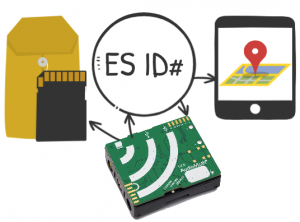 When volunteers mailed back their MicroSD cards, the ES team could read the
 The ES ID system made participation much simpler while making sure that every recording was accurately linked to its site and volunteer.
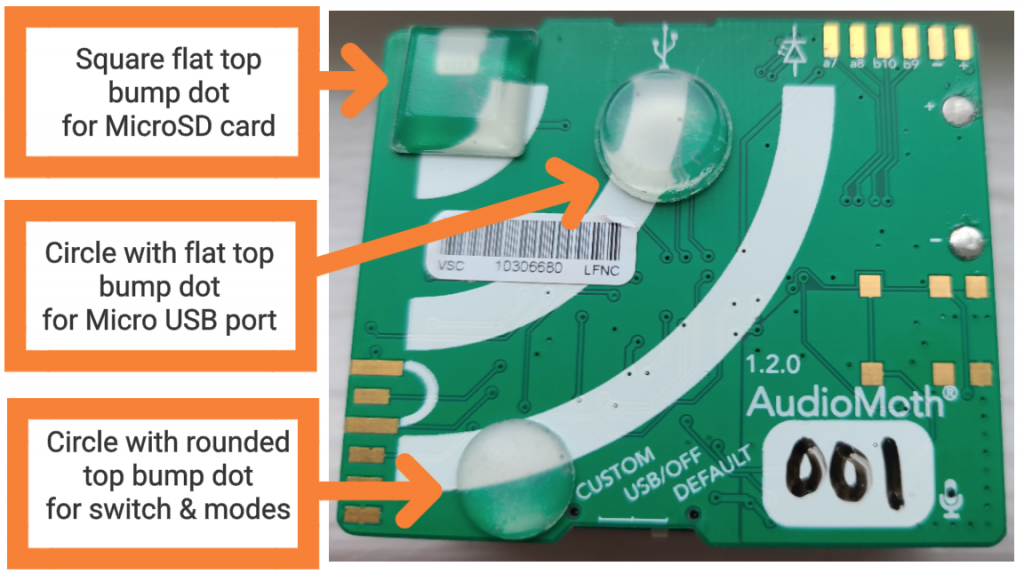 To make the AudioMoth easier to handle by touch, the Eclipse Soundscapes team added bump dots:
- Square flat dot = MicroSD card slot
- Flat-top circle = Micro USB port
- Rounded circle = Switch (Custom / USB-Off / Default)
These raised markers make it simpler to find the key parts of the device without sight.